Start quickly
Choose a fasting goal from 7 to 24 hours and begin with one focused tap.

Rhythm gives you a focused fasting timer, reminder notifications, editable history, and weekly progress so you can keep a repeatable fasting routine without opening an account or managing a bloated dashboard.
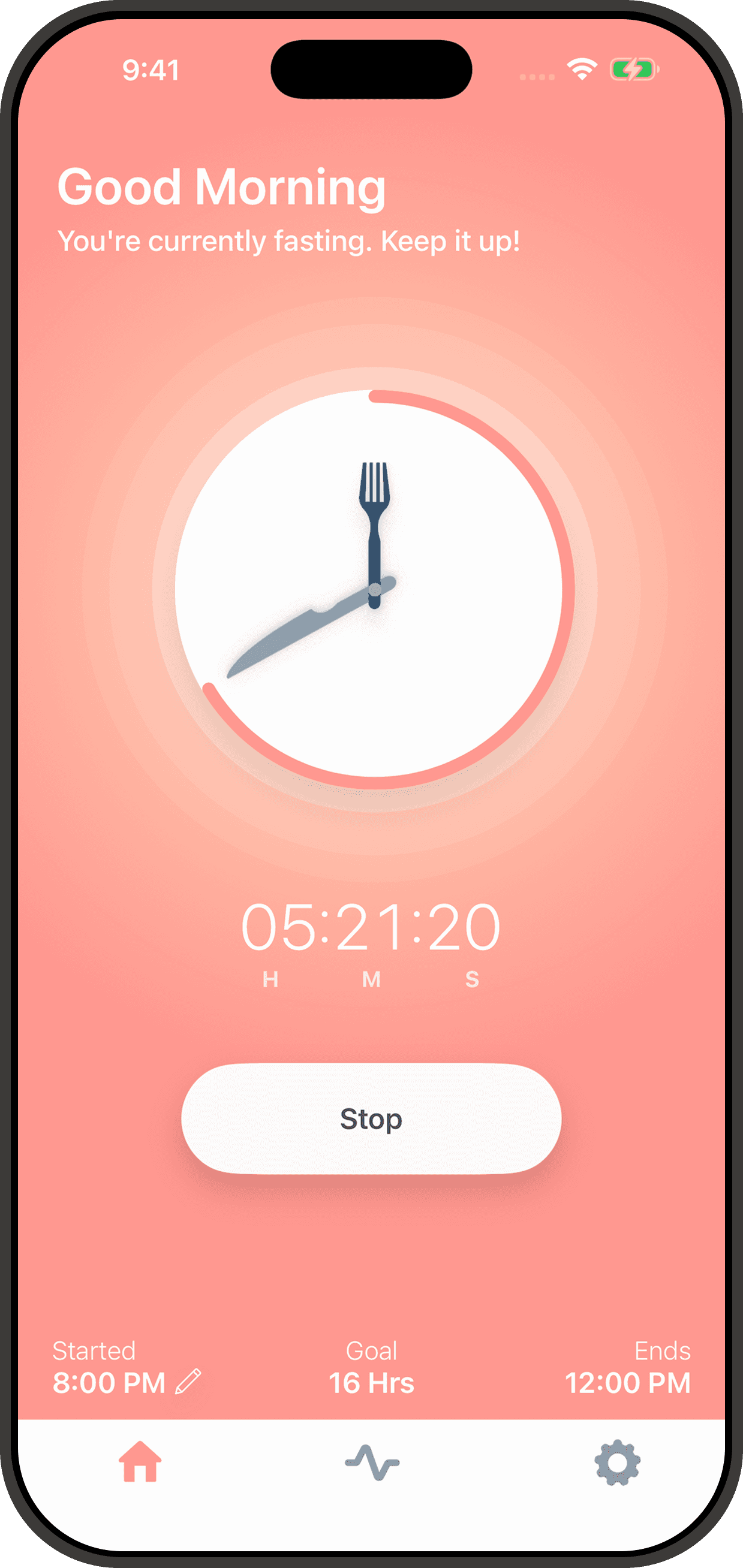
Rhythm is built for the parts of intermittent fasting that users check most often on iPhone: how long the current fast has been running, when the goal ends, what happened earlier in the week, and whether a saved fast needs a quick edit after a real-life schedule change.
Choose a fasting goal from 7 to 24 hours and begin with one focused tap.
Use reminder and completion notifications to keep your daily rhythm consistent.
Save, review, and adjust past fasts while keeping your timeline clean.
See logged fasts, completed goals, and your average duration at a glance.
A good intermittent fasting tracker should feel useful in a few seconds, not demanding every time you open it. Rhythm is designed around that idea, so you can set a goal, glance at the timer, keep the day moving, and return later when you need to review what happened.
That makes it easier to keep a fasting rhythm through ordinary work days, training days, or weekends when your schedule shifts and you need a little flexibility.
Pick a fasting length that fits your schedule, whether you are easing into intermittent fasting or following a steadier routine during the work week.
Rhythm keeps the current fast easy to check so you always know how long you have been fasting and when your target window ends.
Past fasts stay editable, which is useful when your day changes or you want your weekly progress view to reflect what actually happened.
Some users want a simple 12-hour overnight fast. Others want a classic 16:8 routine they can repeat during the week. Rhythm keeps those goal options close so the app stays helpful whether you are building consistency or tracking longer windows with a cleaner timer.
Start with approachable windows like 7, 8, or 10 hours when the habit matters more than intensity.
Use everyday goals like 12, 14, or 16 hours to track the routines people follow most often on iPhone.
Choose extended targets up to 24 hours without switching to a more complex fasting tracker.
Because completed fasts remain editable, your weekly progress is still useful when life gets messy. That matters for anyone using an intermittent fasting app as a daily habit tool rather than as a one-off experiment.
The Rhythm iPhone app keeps the core routine lightweight. There is no account setup in the app, no ad-tech layer tied to your fasting history, and no need to fight through extra settings before you can start the timer.
If you want the app privacy details or need help with the product, you can review the privacy policy or visit the support page.
Your fast records stay on your device and follow your iOS backup settings instead of being synced to a Rhythm account.
Open the app, choose a fasting goal, and start tracking on iPhone without creating or managing credentials.
Rhythm keeps the app centered on timing, reminders, history, and weekly progress instead of layering in tracking-heavy features.
Email support@rhythmfasting.app for app issues, feedback, or feature requests when you need a direct answer.
Rhythm works best for people who want an intermittent fasting tracker that stays narrow on purpose. It is meant to be easy to reopen during the day, easy to understand in a glance, and easy to trust when you do not want your routine buried under a generic wellness app interface.
Rhythm is for users who want to check a timer, see their target, and move on instead of managing a feed, account, or dashboard full of extras.
The Rhythm iPhone app keeps fasting records on your device, which makes it a better fit for people who want their routine to stay personal.
If you want to see whether your fasting rhythm is sticking across the week, the app keeps that summary visible without turning it into a spreadsheet.
Search visitors often want a little more detail before they download an intermittent fasting app. These answers cover the app behavior people usually check first.
Rhythm tracks the current timer, your selected fasting goal, the expected finish time, and completed fasts that roll into your weekly progress view.
Yes. Rhythm lets you open saved fasts from history so you can adjust start or end times when your day did not go exactly as planned.
No. The app works well for first-time intermittent fasting users and for people following repeatable schedules like 12:12, 14:10, or 16:8.
No. The iPhone app does not require an account, and your fasting records stay on your device.